
Phone Mirror app - True Mirror
CardsBeauty
4.61.08K Reviews
- Version
- 10.0.0
- Installs
- 10.00M
- Age Rating
- Everyone
Screenshots
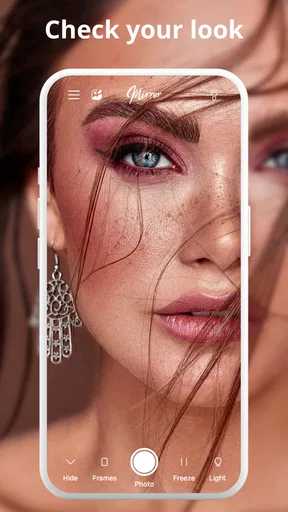
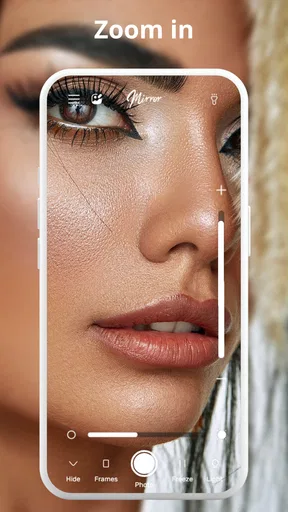
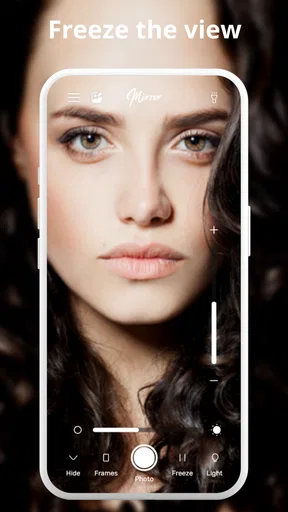
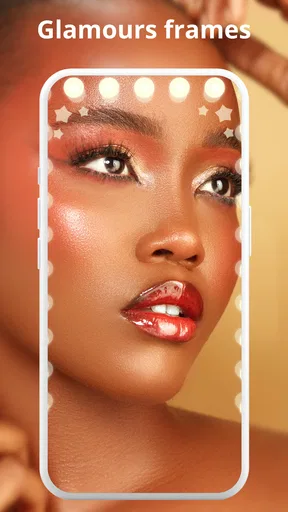
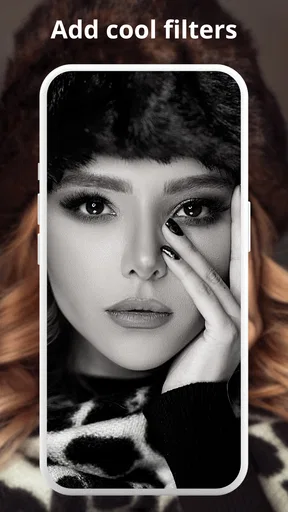
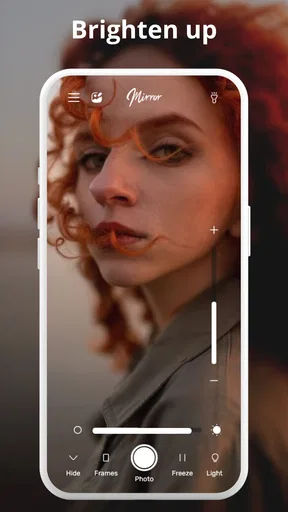
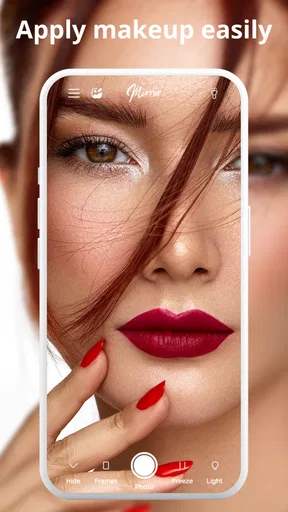

Our Review of Phone Mirror app - True Mirror
 Analysis by Appyee
If you’ve ever found yourself in a situation where you needed to mirror your phone’s screen to a larger display, you know how tricky it can be. Enter the Phone Mirror app – True Mirror. I spent some quality time with this app, and I’m here to give you the lowdown on what makes it tick and whether it’s worth your time.
Start with the right expectation
There is one important distinction to keep in mind before installing: despite the name and the old review text below, this app is presented as a phone mirror for seeing your own image, with editing, zoom and light tools. That makes it a beauty utility rather than a screen-casting tool for sending apps to a television. I would not choose it to show a phone display on a monitor or to control a handset from across a room.
That narrower purpose can still be useful. A front-facing camera preview is handy when I want to check hair, makeup, or how a collar sits without finding a separate mirror. The practical question is whether I want a dedicated mirror interface on my phone, rather than whether I need wireless casting. Those are different jobs, and choosing the right expectation avoids a frustrating first launch.
What the free option means
The app is free to install, so trying the basic experience does not require an upfront purchase. It also offers in-app purchases ranging from under a dollar to just under a hundred dollars per item. I would treat that range as a reason to look carefully at each purchase screen, not as evidence that any particular tool requires payment or that a specific upgrade is worthwhile.
For a simple, occasional mirror check, free access may be enough to decide whether the layout suits you. If a prompt appears while you are exploring, pause and read what it unlocks before confirming. The listed range is broad, so it is sensible to distinguish between a feature you genuinely need and an optional extra you may never use. I would not spend money just because an app offers a purchase; first see whether the everyday mirror task already feels convenient.
Getting Started with True Mirror
First off, installation was a breeze. I found True Mirror on the app store, and within minutes, it was up and running on my device. The user interface is clean and intuitive, which is always a good sign. No one wants to fuss around with a complicated setup when all you want is to see your phone screen projected onto a TV or monitor.
Features You’ll Love
The app comes packed with a bunch of features that make screen mirroring a seamless experience. For starters, it supports multiple devices, so whether you’re on Android or iOS, you’re covered. I tested it with both, and the performance was consistently smooth.
One of my favorite features is the wireless connection. No more fumbling with cables or adapters; just connect your device and display to the same Wi-Fi network, and you’re all set. It’s like magic, but better because it actually works!
Another nifty feature is the ability to control your phone from the larger screen. This is a game-changer if you’re giving a presentation or just want to enjoy your apps on a bigger display without constantly looking down at your phone.
Performance Insights
In terms of performance, True Mirror didn’t disappoint. The screen mirroring was lag-free, and the image quality was sharp. I tried it with various apps, from videos to games, and everything mirrored smoothly. The latency was almost non-existent, which made gaming on a bigger screen pretty enjoyable.
However, like any app, your mileage may vary depending on your device and network speed. I recommend ensuring a strong Wi-Fi connection for the best experience.
Why True Mirror Stands Out
What sets True Mirror apart from other similar apps is its simplicity and reliability. Many mirroring apps promise the world but deliver a subpar experience. True Mirror, on the other hand, does exactly what it says on the tin, and it does it well.
It’s also worth mentioning that the app doesn’t bombard you with ads or unnecessary bloatware. It’s a clean, focused tool that respects your time and patience.
Some Tips for New Users
If you’re new to screen mirroring, here’s a quick tip: always check your Wi-Fi settings. Both your phone and the display need to be on the same network for the magic to happen. If you’re having trouble, a quick reset of your router usually does the trick.
Also, keep an eye on your device’s battery. Screen mirroring can be a bit of a power hog, so make sure you’re either plugged in or have enough juice to last your session.
Using it in an everyday routine
For an ordinary morning, I can see the value in opening the mirror while getting ready, adjusting the lighting, and using zoom to inspect a small detail such as eyeliner or a loose hair. Zoom is most helpful as a close inspection aid, not a substitute for stepping back: a magnified view can make tiny imperfections seem more important than they look at normal distance. I’d check the overall look at the regular view before making another adjustment.
A useful habit is to position the phone at roughly the same height and distance each time. That gives a steadier view from one check to the next and helps avoid changing makeup or grooming based on an awkward camera angle. If the preview looks dim, try the light control before increasing zoom; extra magnification cannot fix poor visibility. This small sequence—set the phone, adjust light, inspect, then return to a normal view—makes the tools more purposeful.
Mirror app or the phone camera?
The built-in camera can already show a live view, so I would not install a dedicated mirror app just to open a selfie preview once in a while. A purpose-built mirror is more appealing when I want the view to feel immediate and the zoom and light controls to be close at hand. The trade-off is another app to keep on the phone, and its usefulness depends on whether those controls make a repeated routine easier than the camera app does.
It also differs from a physical compact mirror. A phone screen is larger and can be easier to use for checking a broader area, but it depends on battery and the phone being available. A small glass mirror remains simpler when I need a quick check outdoors or do not want to handle a screen. I’d think of this app as a convenient at-home or desk-side option, not a universal replacement for every mirror.
Small adjustments that improve the check
Try not to judge color or finish from one lighting setup alone. A phone screen and its camera preview are not the same as looking at your face in daylight, so I would use the app to inspect placement and detail, then take a step back and check the result in the light where I will actually be seen. That matters most for makeup choices where a close view can look different from the overall impression.
For a shared bathroom or a crowded getting-ready space, the phone mirror can also offer a personal view without needing to occupy a wall mirror for every small check. It is less useful if you need both hands free for a long routine or want to see your full outfit from head to toe. In that case, a properly positioned full-length mirror is the better tool; a phone preview is naturally limited to what its camera can frame.
Who is likely to get value
I’d recommend trying it if you often want a close, portable check for grooming or makeup and appreciate having zoom and light controls in one place. It may also suit someone who travels and prefers to use a phone they already carry instead of packing another small mirror. The app is rated for Everyone, and Cards is the developer; it has a 4.7 average from around 88,000 ratings, with over 10 million installs. Those figures suggest it has found a broad audience, though they cannot tell you whether its particular interface will fit your routine.
On the other hand, skip it if you came looking for TV casting, remote phone control, or a dependable way to show videos and games on a larger screen. The screen-sharing claims in the older sections of this review do not describe the mirror utility identified by the app’s current purpose. For actual casting, use a screen-mirroring or casting solution designed for that job. If all you need is a quick reflection now and then, your existing camera or a physical mirror may be simpler.
Version, compatibility, and a sensible trial
The current version is 10.0.0, and the listed Android requirement is 6.0 or later. I would check that your device meets that minimum before expecting to install it. The app was released on December 23, 2014, so it has been around for years, but age alone is not a guarantee that every feature will behave identically across every phone. A brief hands-on trial is still the most useful way to judge whether the preview, controls, and screen size work for you.
When you first open it, test the basic mirror view in the place you normally get ready rather than judging it under an unusual light. Try the light and zoom controls separately, and then compare the close view with the normal framing. That tells you whether the app is genuinely helping with your own use case before you consider any optional purchase. It also answers a practical question: does this make a routine easier, or does opening another app add friction?
Limits worth weighing
A phone mirror cannot make the camera view identical to a direct reflection. Framing, camera position, and ambient light all influence what you see, so I would use it for checking details rather than making a final decision about how an entire look appears to other people. Zoom is useful for precision but can encourage over-correction; light can improve visibility, but it does not replace suitable room lighting.
There is also a simple comfort trade-off: holding a phone steady near your face can be awkward if you are working with both hands. A stand or a stable surface may make a longer check easier, although I would not buy accessories solely for occasional use. For a fast check, handheld is fine; for a careful routine, the best setup is the one that keeps the preview stable without turning a small task into a project.
My verdict on whether it earns a place
Cards’ beauty app is free to download, with optional in-app purchases priced from $0.99 to $99.99 per item. I see the strongest value in trying the free experience first and paying only if a clearly useful option is presented and fits your needs. Its 1,000 reviews sit alongside the much larger rating count, so I would consider both the broad popularity and my own short trial rather than treating a rating as a personal guarantee.
For me, the deciding point is whether I would use its mirror view repeatedly. If checking makeup details or grooming with adjustable light and zoom is part of your routine, having those controls ready on your phone can be handy. If you rarely need a close mirror, or your camera already does the job comfortably, there may be little reason to add another app. The sensible buy-or-skip choice is straightforward: install it free if the mirror use case fits, explore cautiously, and keep your money unless an optional purchase solves a specific problem for you.
Wrapping Up
All in all, the Phone Mirror app – True Mirror is a solid choice for anyone in need of a reliable screen mirroring solution. It’s easy to use, performs well, and doesn’t come with any pesky surprises. Whether you’re looking to share content with friends, present at work, or just enjoy a bigger screen experience, this app has got you covered.
So, if you’re in the market for a screen mirroring app that gets the job done without any fuss, give True Mirror a try. You might just find it’s exactly what you’ve been looking for.
Privacy and Permissions
See what permissions an app requests and how it handles your data.
- Photos/Media/Files
- read the contents of your USB storage, modify or delete the contents of your USB storage
- Storage
- read the contents of your USB storage, modify or delete the contents of your USB storage
- Camera
- take pictures and videos
- Wi-Fi connection information
- view Wi-Fi connections
- Other
- view network connections, control flashlight, full network access, control vibration, prevent device from sleeping, Google Play license check
Verdict
Strengths of Phone Mirror app - True Mirror
- Easy to set up and use interface.
- Supports multiple device connections.
- High-quality screen mirroring.
- Low latency for smooth streaming.
- Compatible with both Android and iOS.
Limitations of Phone Mirror app - True Mirror
- Requires stable Wi-Fi connection.
- Free version has limited features.
- Occasional connectivity issues.
- Consumes significant battery power.
- Limited support for older devices.
Other Releases by Cards
View All
Cards - Mobile Wallet
Productivity4.6

Drawing Pad Lite - Artbook
Art & Design4.5

Ghost Detector Pro Radar
Entertainment4.6

Blood Sugar Diary for Diabetes
Medical4.5
Similar Picks in This Category
View All
Beauty Makeup Editor & Camera
Photo & Video Editors - Instant Solution4.7

Perfect365: Face Makeup Editor
Perfect365, Inc.3.5

Mirror Plus - HD Mirror app
Digitalchemy, LLC4.8

Cute Lock Screen & Wallpapers
Prometheus Interactive LLC4.6

HD Camera for Android
One Music Player4.5

Beauty Camera: Sweet Camera
Mobile_V54.6
Frequently Asked Questions
What is Phone Mirror - True Mirror, and how does it work?
Phone Mirror - True Mirror is an innovative app that allows users to mirror their smartphone screens onto other devices seamlessly. It works by connecting your phone to a compatible device via Wi-Fi or USB, enabling you to display your phone’s content in real-time. This is particularly useful for presentations, gaming, or media playback on larger screens.
Is Phone Mirror - True Mirror compatible with all devices?
While Phone Mirror - True Mirror supports a wide range of Android and iOS devices, it’s essential to check the compatibility list on the app’s website. Some older devices or those with outdated operating systems may not support all features. Ensure your devices have the latest updates for optimal performance.
What are the primary features of Phone Mirror - True Mirror?
The app offers several key features, including high-quality screen mirroring, real-time display, and minimal latency. It also supports media playback control, gaming mode, and the ability to record your mirrored sessions. These features make it a versatile tool for both personal and professional use.
Are there any privacy concerns with using Phone Mirror - True Mirror?
Phone Mirror - True Mirror prioritizes user privacy by ensuring encrypted connections between devices. The app doesn’t store any of your data, and all mirrored content remains local to your devices. However, it’s recommended to use secure networks and keep your app updated to protect against any potential vulnerabilities.
Is there a cost associated with downloading or using Phone Mirror - True Mirror?
Phone Mirror - True Mirror offers a free version with basic features, while a premium version is available for users who need additional functionalities like advanced recording options and ad-free experience. The premium version is offered as a subscription or one-time purchase, providing flexibility based on user needs.
